Digital Products Store in Odoo (Part 2 of 3)
Group based access to restricted pages
So we have a website with eCommerce store set up for our comic book website. Upon purchase a static file is sent to the customer. This is nice but it might be more engaging to redirect the customer after the purchase to a restricted interactive website (which might also let them download the static files).
Let's explore how this can be implemented in addition to sending them a static file. This is what the confirmation page looks like after purchase.
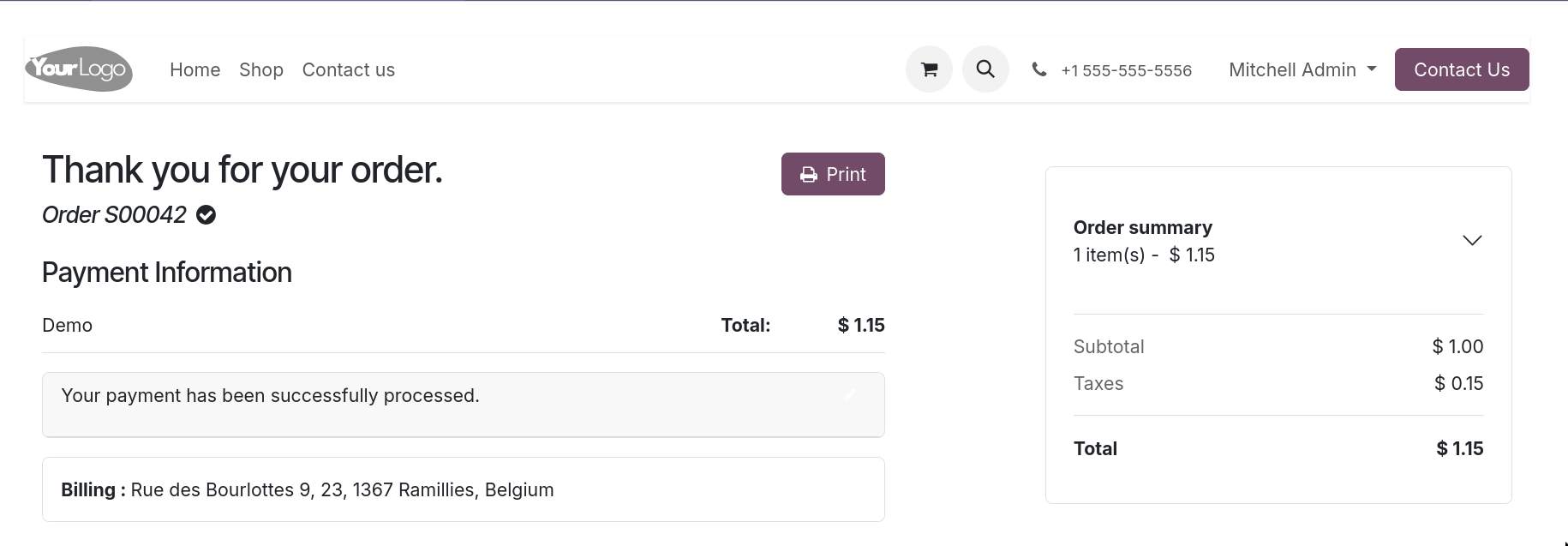
Ideally a link to the restricted site should show up on this page too - we can add that later.
Okay, so these requirements entail that website visitors who make a purchase need to be able to log into our site and thus need a user account. In case our customers only want to receive the static file by email they don't need an account. This can be configured in the checkout process settings.
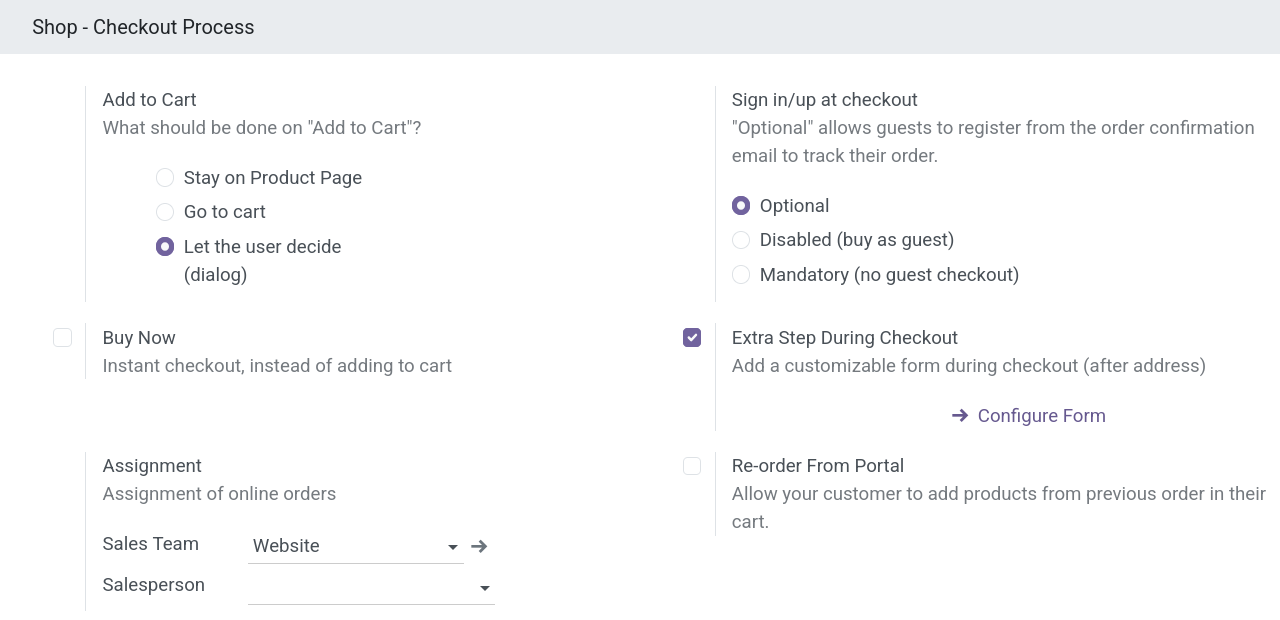
We set "Sign in/up at checkout" to optional.
The visibility of pages can be restricted to groups of users (see this forum post).
If we choose this approach eCommerce store visitors would need to be asked to create an optional account. If they agree they would need to register and be put into a predefined group based on the purchased product which has access to the product page.
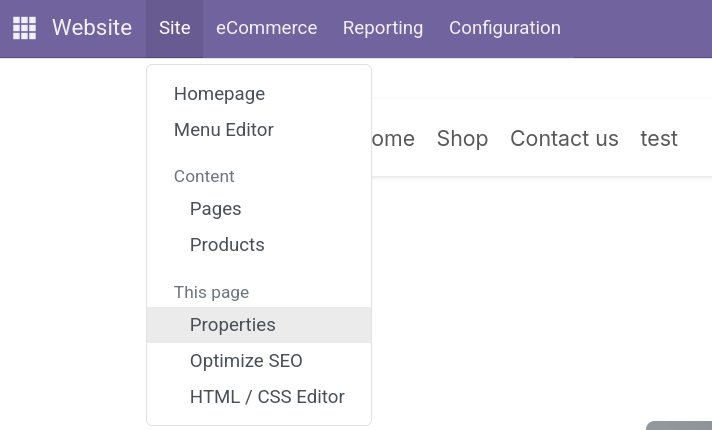
In order to be able to create the necessary user groups we need to activate the developer mode. In order to assign the page properties we open the page in question in the website and click on top menu bar -> Site -> Properties.
We then select the allowed group(s) for the restricted visibility.
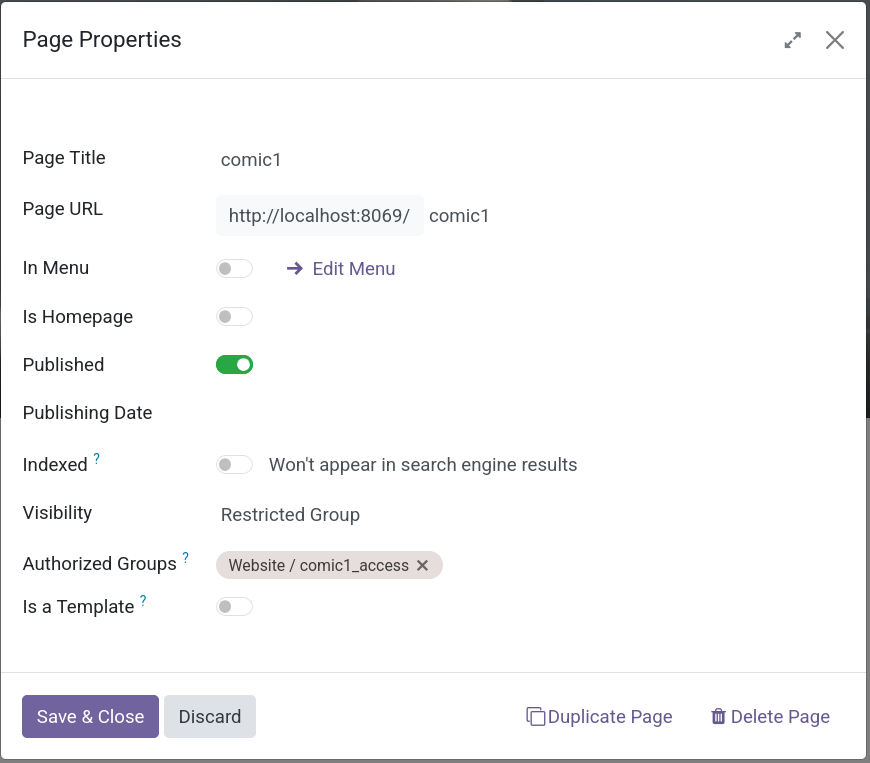
It works! 🎉🥳 That is for the manual workflow of creating the group, assigning the users to the group and adding the page visibility to the page. Creating a page is done only when a new comic is released which occurs maybe once a month so we can get away with creating the page and group and visibility manually.
However users should be added to the groups more frequently and directly after their purchase. Which brings us to the next question.
There might be a better way
Manually creating groups and assigning access rights and users is certainly not optimal since it requires manual work and admin rights. How about we create a mapping between pages and a list of products which grant access to specific pages. We can then add a custom controller that checks whether a user has bought one of these products when the use tries to access pages. Let's whip up a addon module for this functionality. See Part 3 Custom Controller.